Free invoice generator
You're not signed in.
This invoice won't be saved to an account yet —
create a free account
and your invoices start saving automatically.
INVOICE
Service
Qty
Unit Price
Amount
Qty
Unit Price
Amount
Not a price this box can read. Type it like 1500 or 1,500.50.
Quantity is a whole number, 1 or more.
Total
฿0.00
The language the printed invoice is written in.
The sign on every amount. For this document only.
For this invoice only. Your saved default is unchanged.
The combined form goes with the goods and asks for payment on one sheet.
Invoice example
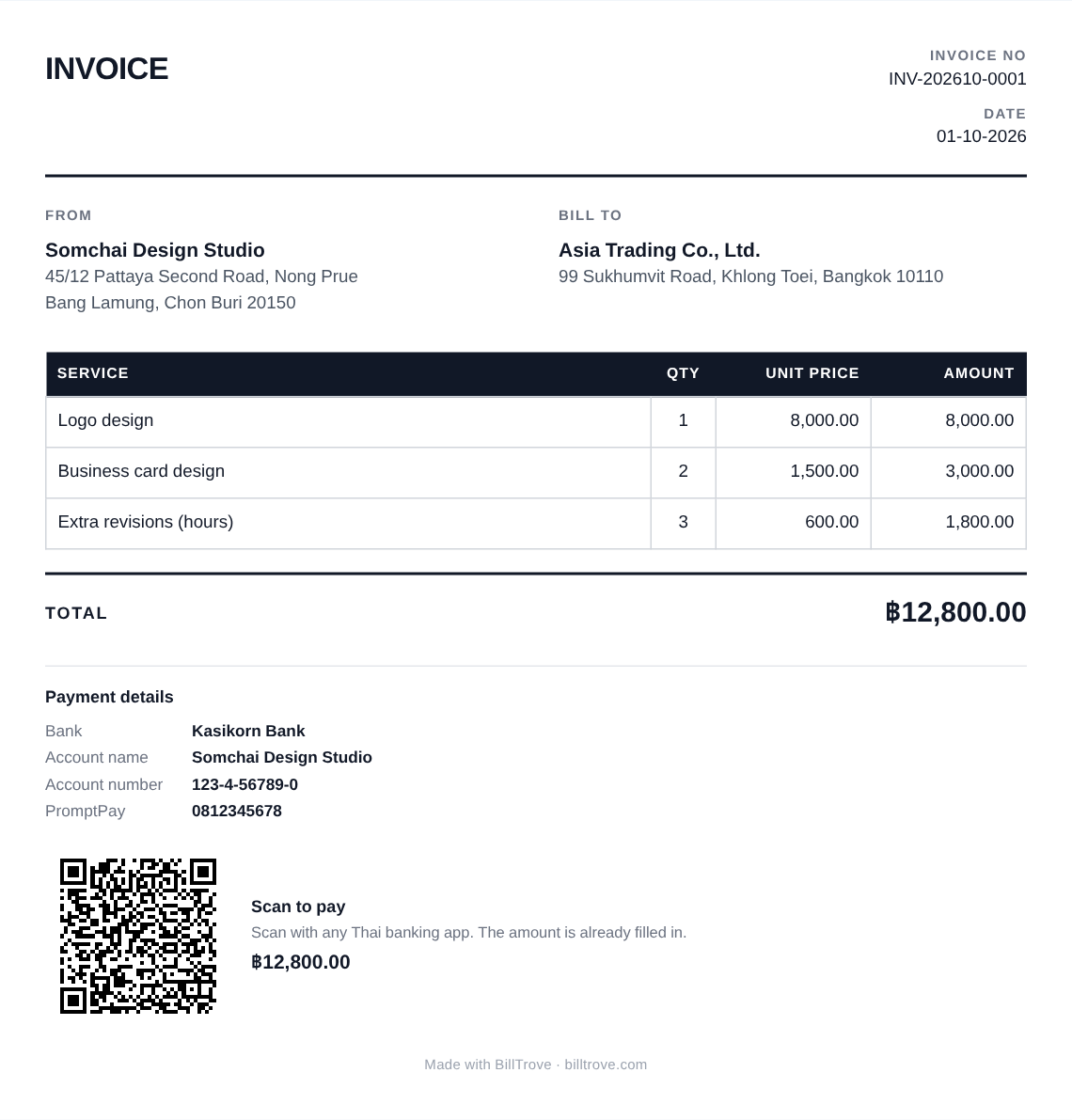
What to put on an invoice
- The word "Invoice" (ใบแจ้งหนี้) and an invoice number
- The date
- Your name, address and contact details — and your tax ID, if you have one
- The customer's name and address
- What you are charging for: each item or job, with quantity and price
- The total — with VAT shown separately, if you are VAT-registered
- How to pay: your bank account, or a PromptPay QR (recommended)
Questions about invoices
- What is the difference between an invoice and a receipt?
- An invoice asks to be paid; a receipt says you have been paid. Send the invoice first, and give a receipt when the money arrives. Make a receipt →
- Invoice or tax invoice — which do I need?
- If your business is VAT-registered, your customer needs a tax invoice, which must carry particulars the Revenue Department sets. If it is not, an ordinary invoice is right. Make a tax invoice instead →
- Do I need an Excel or Word invoice template?
- No. Fill it in above and the totals, VAT and withholding tax work themselves out; then print it, save it as a PDF, or send it as an image in LINE.
- Can my customer pay by scanning a QR code?
- Yes. Add your PromptPay number to your payment details — that needs a free account — and every invoice in baht prints a QR code with the amount already filled in.